

Check Supplier Invoices In SmartInvoice
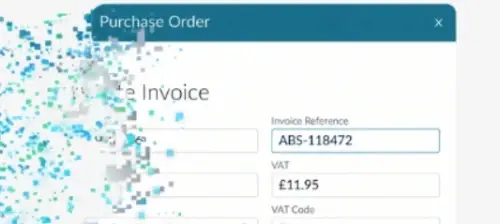
SmartInvoice is a new feature of Business Pilot that automatically reads supplier invoices and matches them to purchase orders, removing the need for installers to check invoices by hand.
SmartInvoice means installation businesses only need to deal with the invoices that don't match, leaving more time to manage their operations.
Dealing only with exceptions
Supplier invoice PDFs can be uploaded into Business Pilot individually or in batches. SmartInvoice reads each document and captures the relevant information, removing the need for manual data entry. It then matches each invoice to the purchase order raised for the job.
Matched invoices are recorded against the purchase order automatically, with no further action needed. Where an invoice doesn't match, for example if it exceeds the purchase order value, it is held for review as an invoice query, so the office only deals with the exceptions. If an invoice arrives without a recognisable purchase order number, SmartInvoice suggests the likely purchase order for the user to confirm.
Cutting administration
Ryan Schofield, the product director at Business Pilot, said: “For a lot of installation businesses, processing supplier invoices is still a manual task. Someone in the office has to open each invoice, read through the information, enter the details into their system and then check it against what was ordered.
“When you’re dealing with frames, glass, hardware and multiple suppliers across different jobs, that can add up to a significant amount of administration.
“SmartInvoice takes that work away. The system reads the invoice, matches it to the purchase order and records it automatically. The only invoices that need someone’s attention are the ones that don’t add up.”
Supplier invoices are an unavoidable part of running an installation business, with frames, glass, hardware and other materials regularly purchased against individual jobs.
Processing those invoices manually takes time, particularly for businesses managing multiple installations and suppliers, and every invoice keyed in by hand is an opportunity for a mistake.
By reading and matching invoices automatically, SmartInvoice removes a repetitive administrative task and helps installers catch discrepancies before they pay.
Schofield added: “Margins are under pressure across the industry. Installers need to know exactly what they’re paying suppliers.”
Integration
For businesses using Xero, the captured invoice information is automatically synchronised, removing the need for manual exports.
This also removes the need for separate invoice processing software and the work of connecting it to existing systems.
Existing Business Pilot reporting remains available, with SmartInvoice providing an additional level of visibility over incoming supplier invoices.
“One of the things we’ve focused on is making sure SmartInvoice fits naturally into the way installers already work,” Schofield explained. “Purchase orders are already linked to jobs in Business Pilot. The difference now is that customers don’t have to enter invoice information manually or check every invoice against its purchase order themselves.”
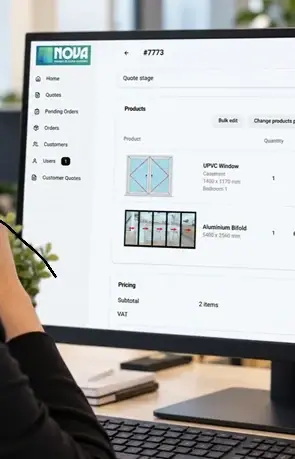
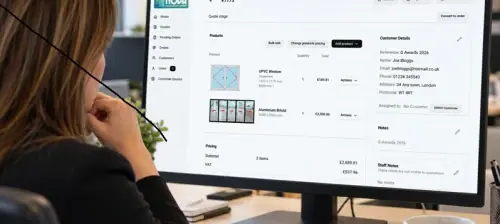
Picture: SmartInvoice automatically matches supplier invoices to purchase orders.
Business Pilot’s SmartInvoice is available now to all Business Pilot customers, free until 31 December 2026.
More To Read
The Modplan Massive On Show

Will it Be Champagne For Super Nova?
Get Your Guides To The Future Homes Standard
Helping Peter Piper Pick A Perfect Panel